Case study · Systems
Trace: a timestamped record of your moments
A multi-user timeline where time is the primary key, built on Express and MongoDB Atlas with per-user isolation proven by tests and a record you can export as plain Markdown.
Role
Constitution · SRS · Express API · Vite client · deploy/ops
Timeline
Constitution to production · 34 commits · measured 28 Aug 2026
Stack
Express 5 · Mongoose 9 · React 18 · Vite 6 · MongoDB Atlas · Vercel · S3
Output
Same-origin SPA + API · 16 endpoints · 6-hourly S3 dumps and restore drills
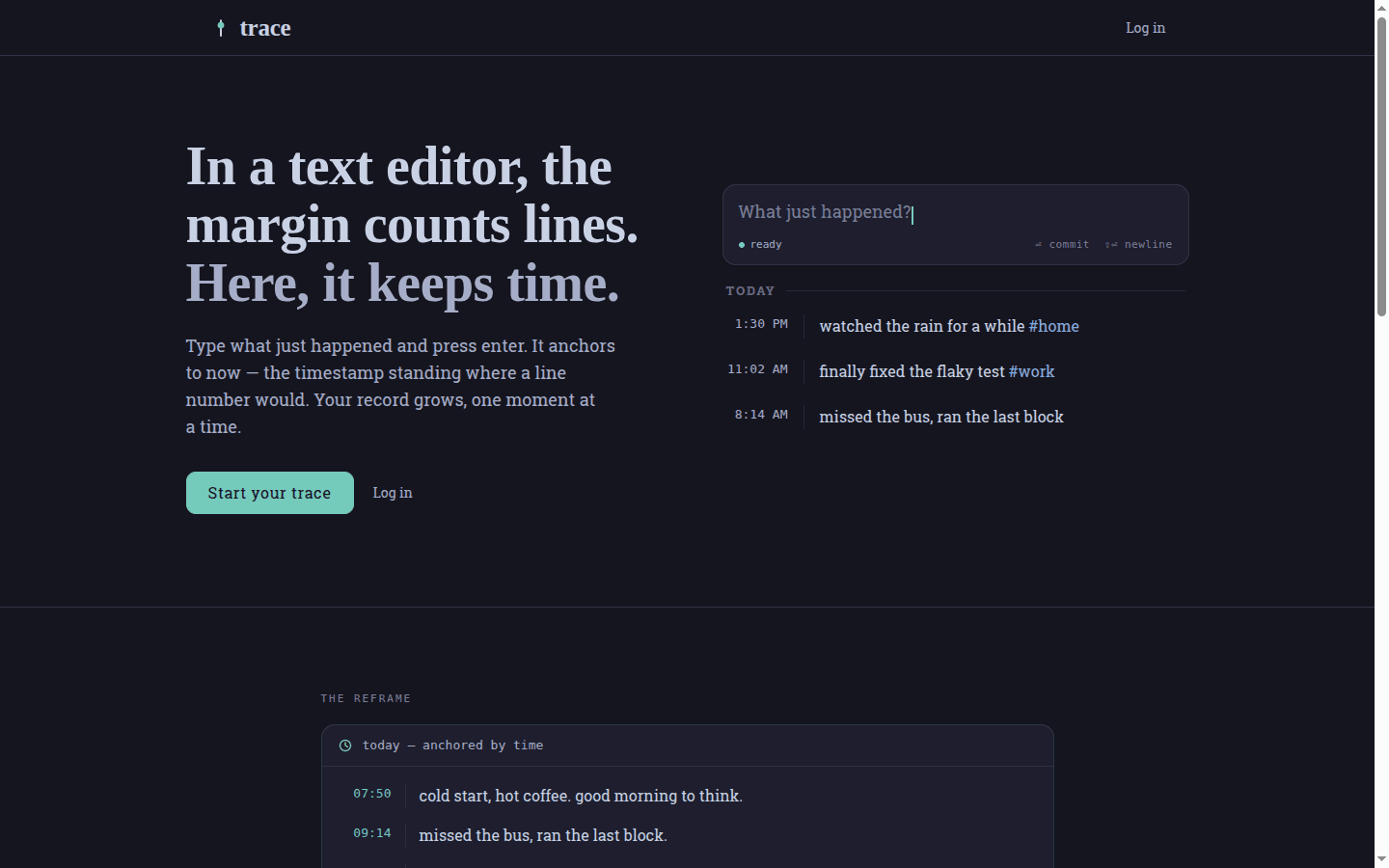
Trace is a timestamped record of your moments. Type what happened and press Enter. The moment is saved at the current time in a private timeline, and time is the primary key rather than a field you fill in afterwards.
/home/ahmdmshazly/Projects/trace at commit 0edf7dd. Every status code and response quoted below comes from a live check against trace.ahmdmshazly.me on 28 August 2026. The moments in the figures are synthetic, written for a showcase account. Ledger: backups/trace-numbers-ledger.2026-08-28.md.Create an account
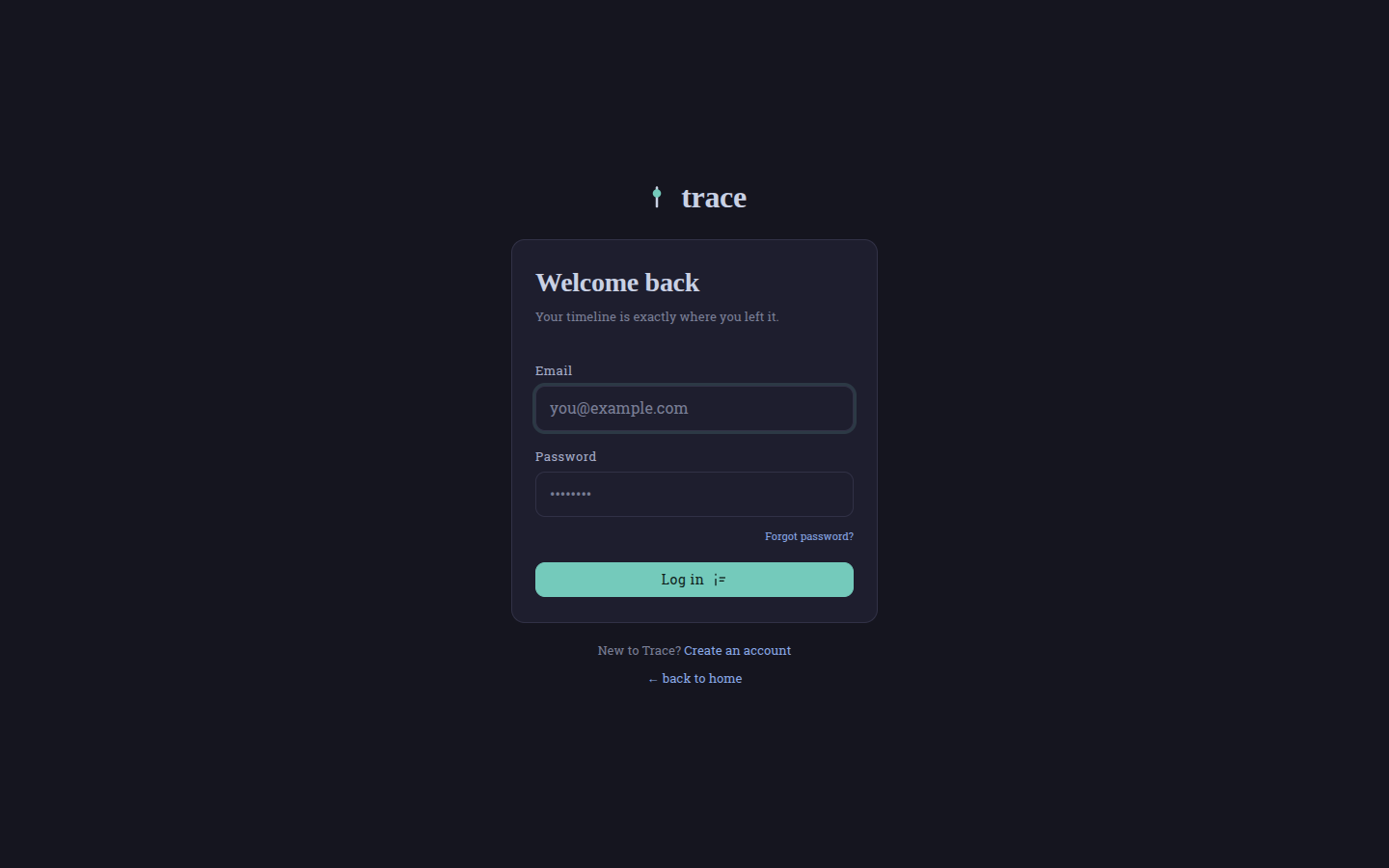
Open trace.ahmdmshazly.me and register with an email address and a password of at least eight characters. There is no shared login and no demo account, because each user gets an isolated timeline and that isolation is the one promise the rest of the system is built to keep.
/, choose Start your trace, register, type a moment and press Enter. GET /api/health returns {"status":"ok","db":"connected"}. Deleting a moment hides it behind an undo rather than erasing it. Deleting your account asks for your password a second time, and the token you were holding stops working the moment the account is gone.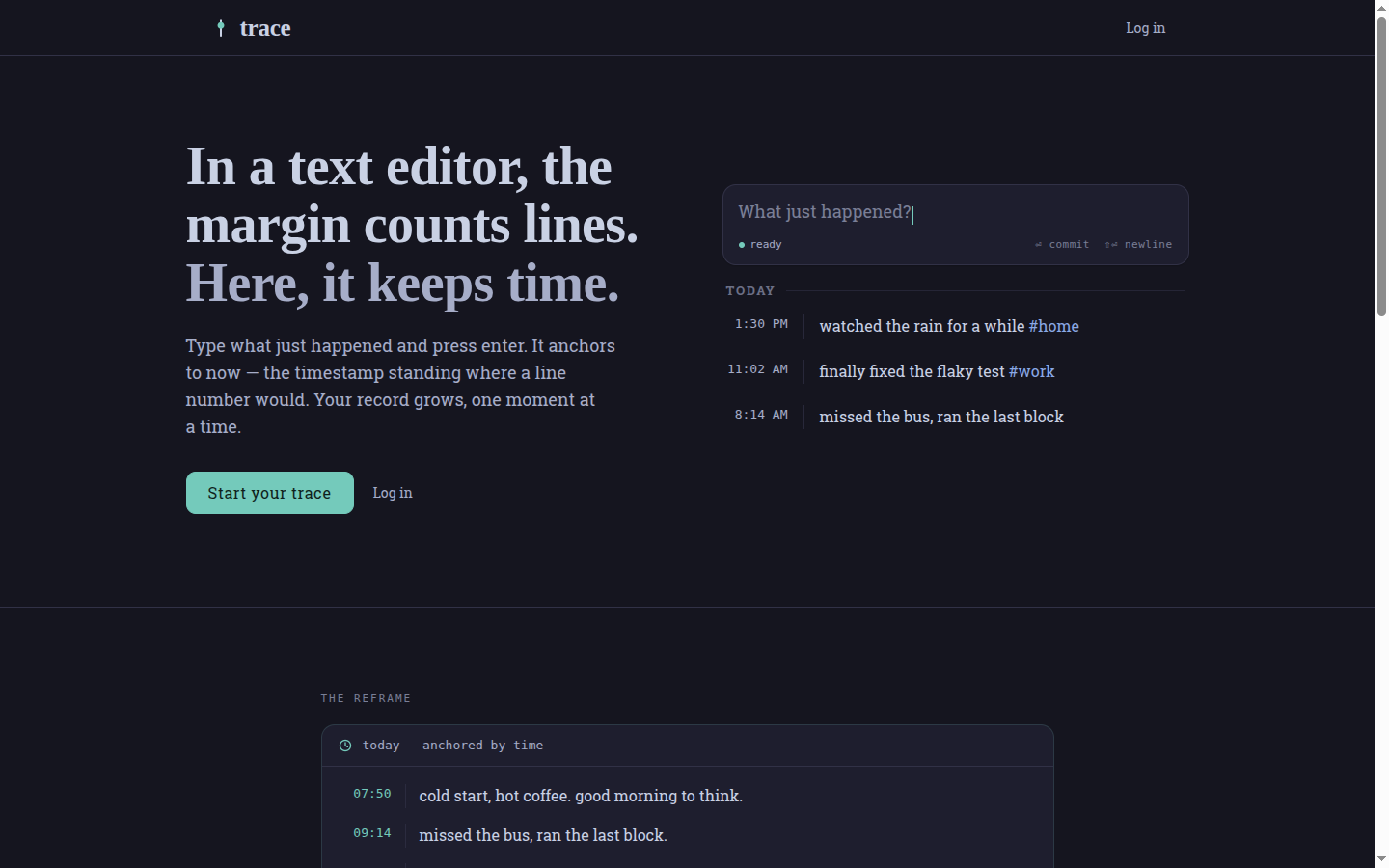
Why a capture loop before the insights engine
The governing rule is written into the project constitution: perceived commit latency must stay under 100 ms, the capture field must hold focus on load and the whole loop must be completable by keyboard alone. Everything else was allowed to wait.
That ordering is deliberate. An analysis engine over an empty corpus measures nothing, so V1 spends its budget on the part that decides whether a corpus ever comes to exist at all. Dashboards, reminders and rich media as well as teams are deferred.
The corpus is the product. Losing a committed moment is the worst non-privacy failure.
What it does, in plain language
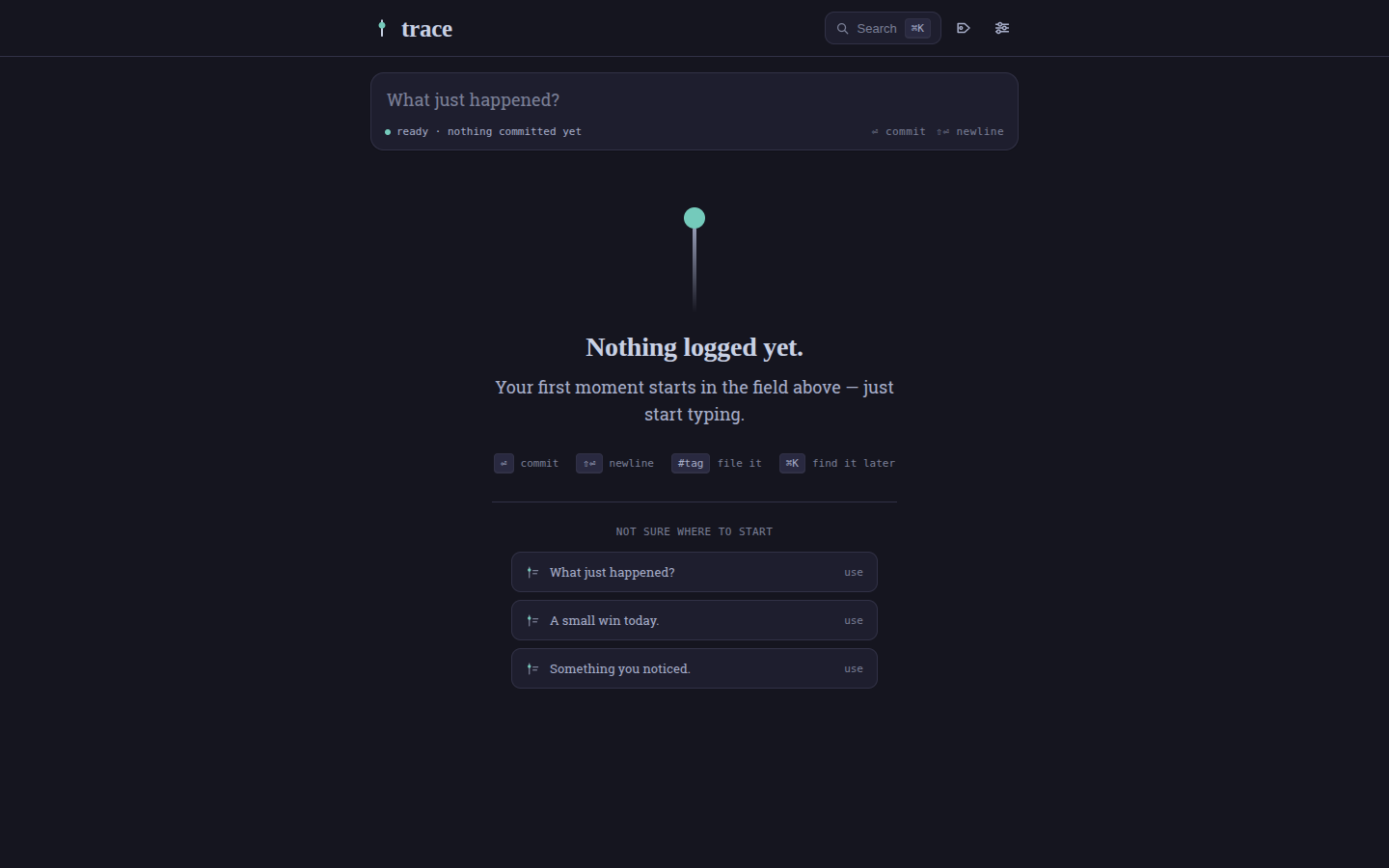
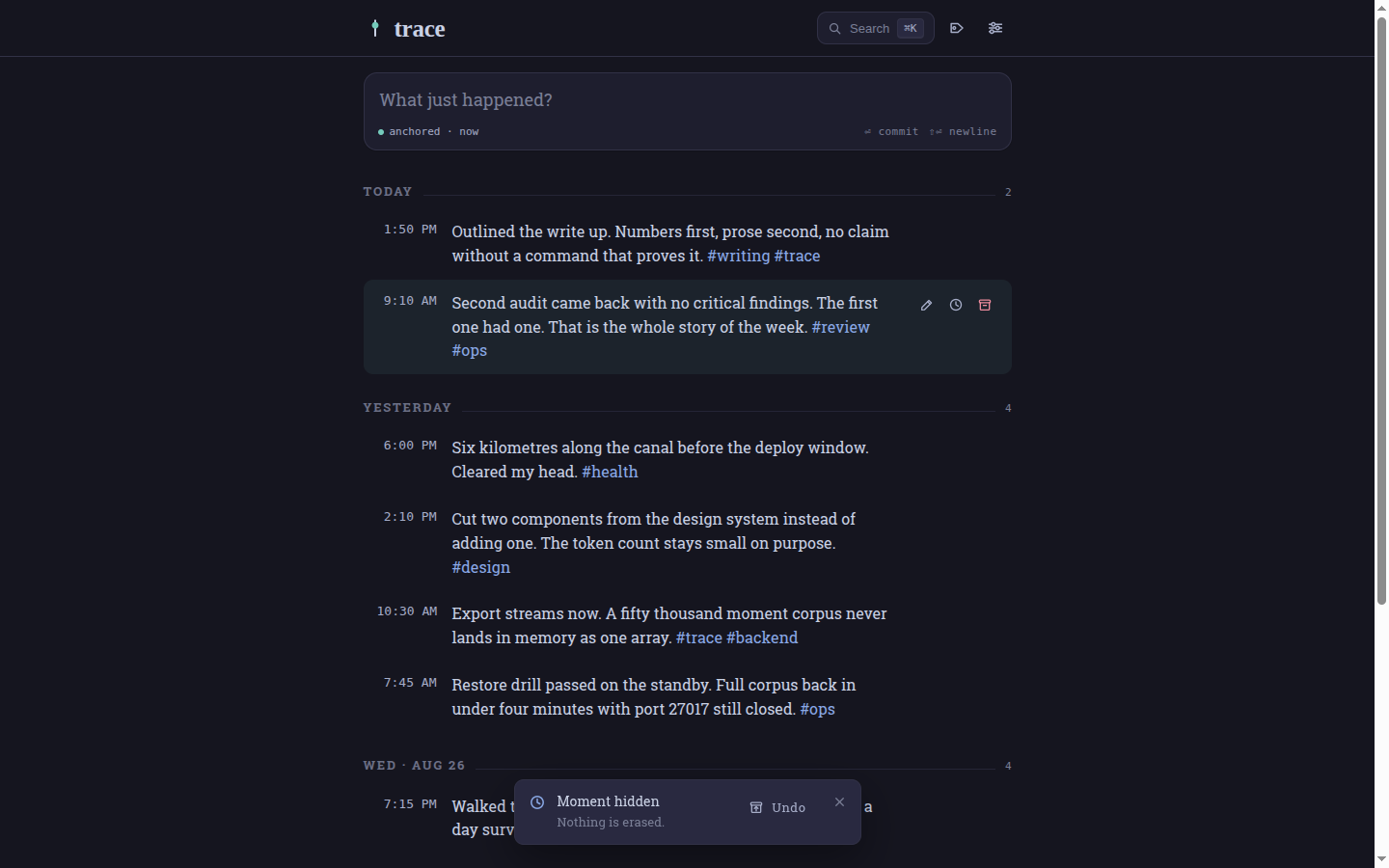
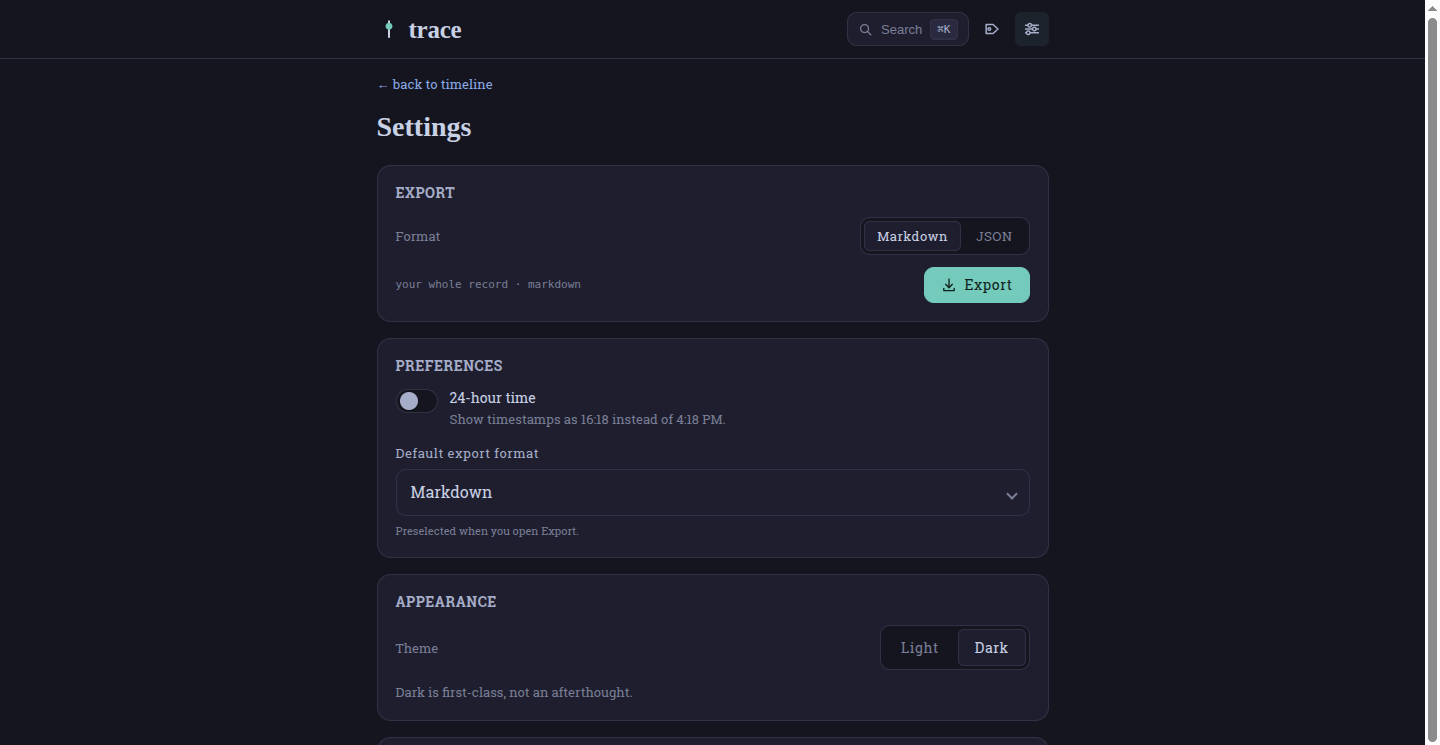
You type a moment and press Enter, and it lands under today with the time sitting in the margin. You can edit it in place, move it to when it actually happened, hide it with an undo or bring it back. Any word starting with a hash becomes a tag, and the tag index counts tags across your whole record rather than the page you happen to be looking at. ⌘K searches the entire corpus. Settings switches between 12 and 24-hour time, flips the theme and exports everything you have written as Markdown or JSON. The danger zone asks for your password before it does anything irreversible.
Screens in action (live site)
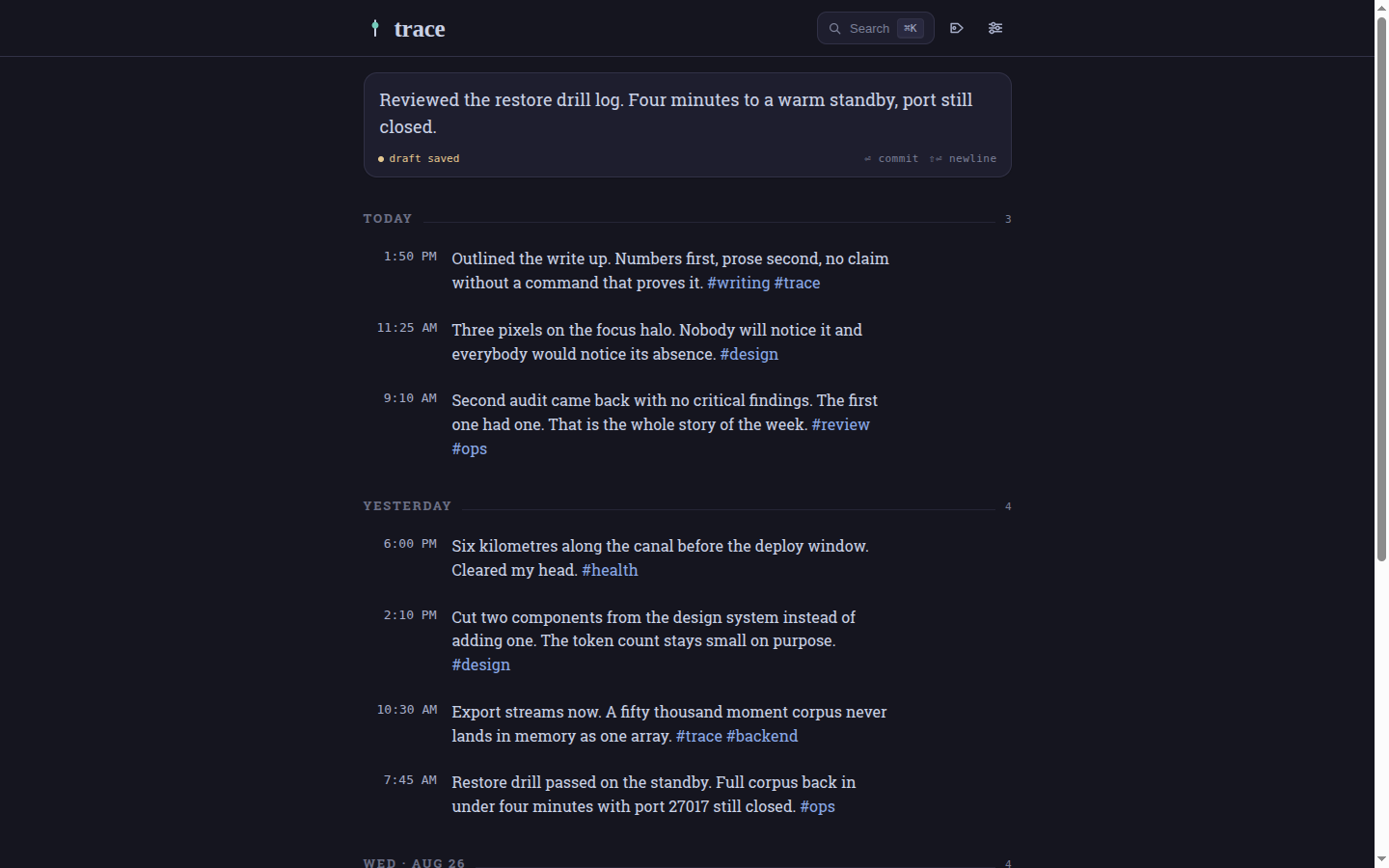
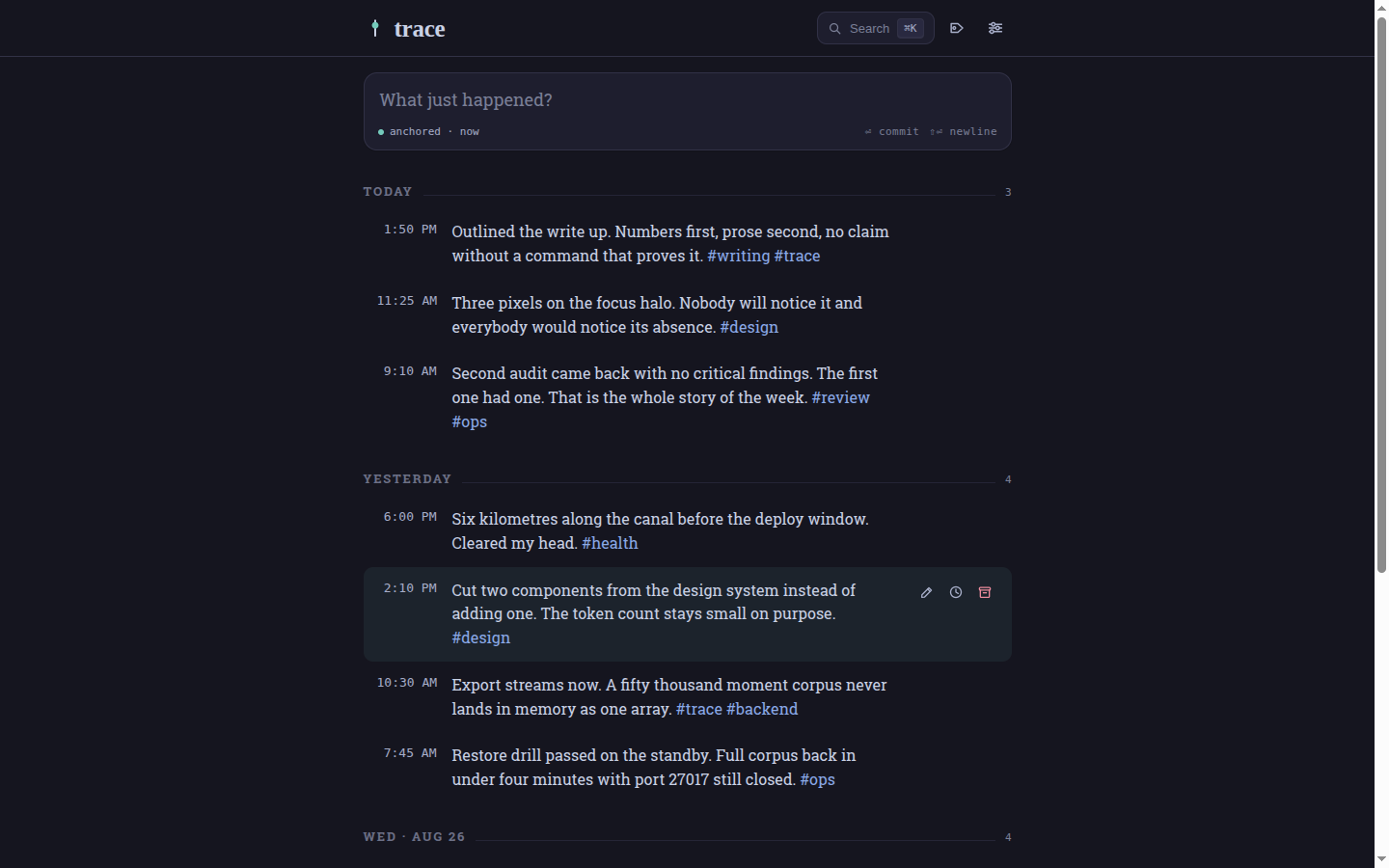
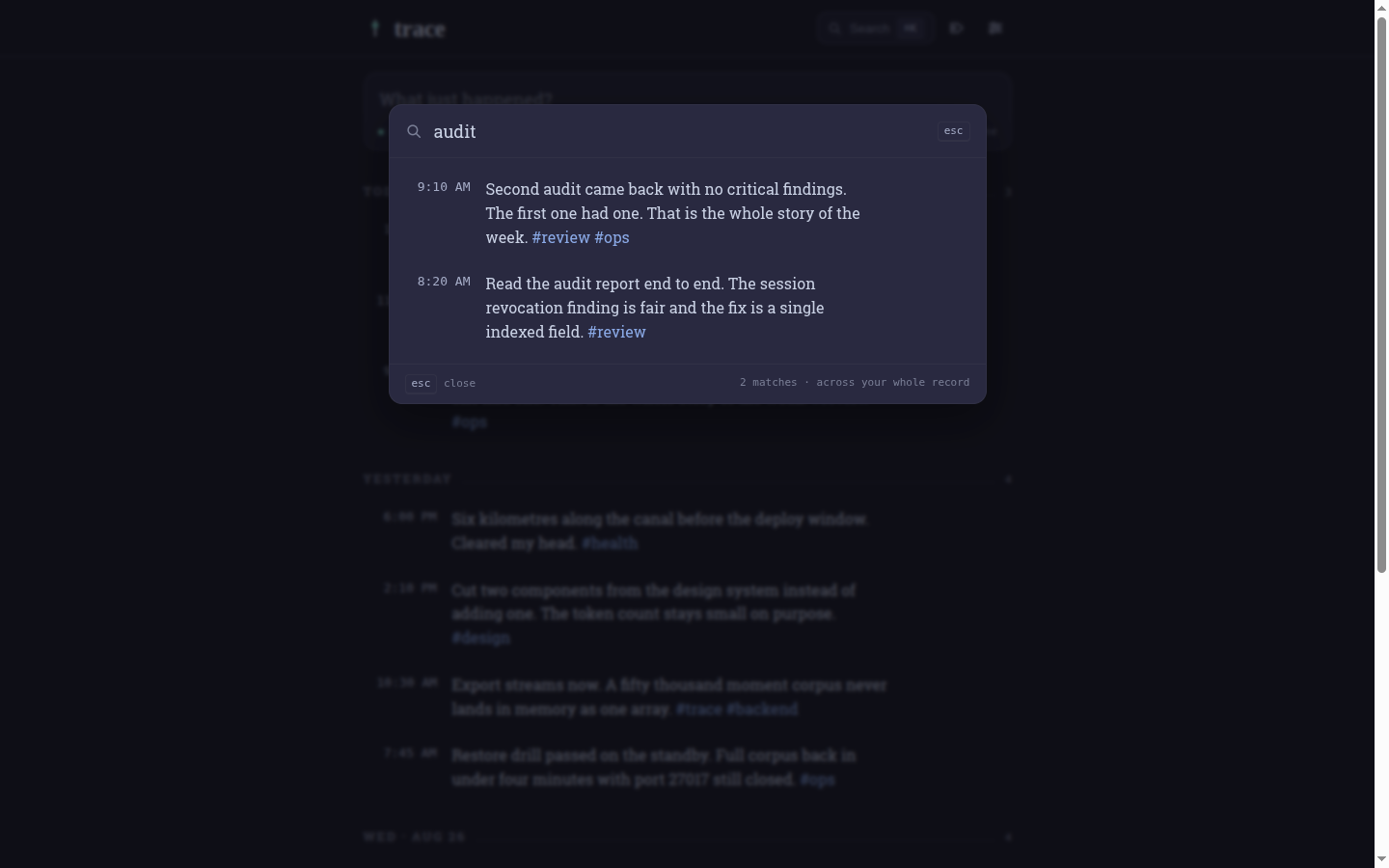
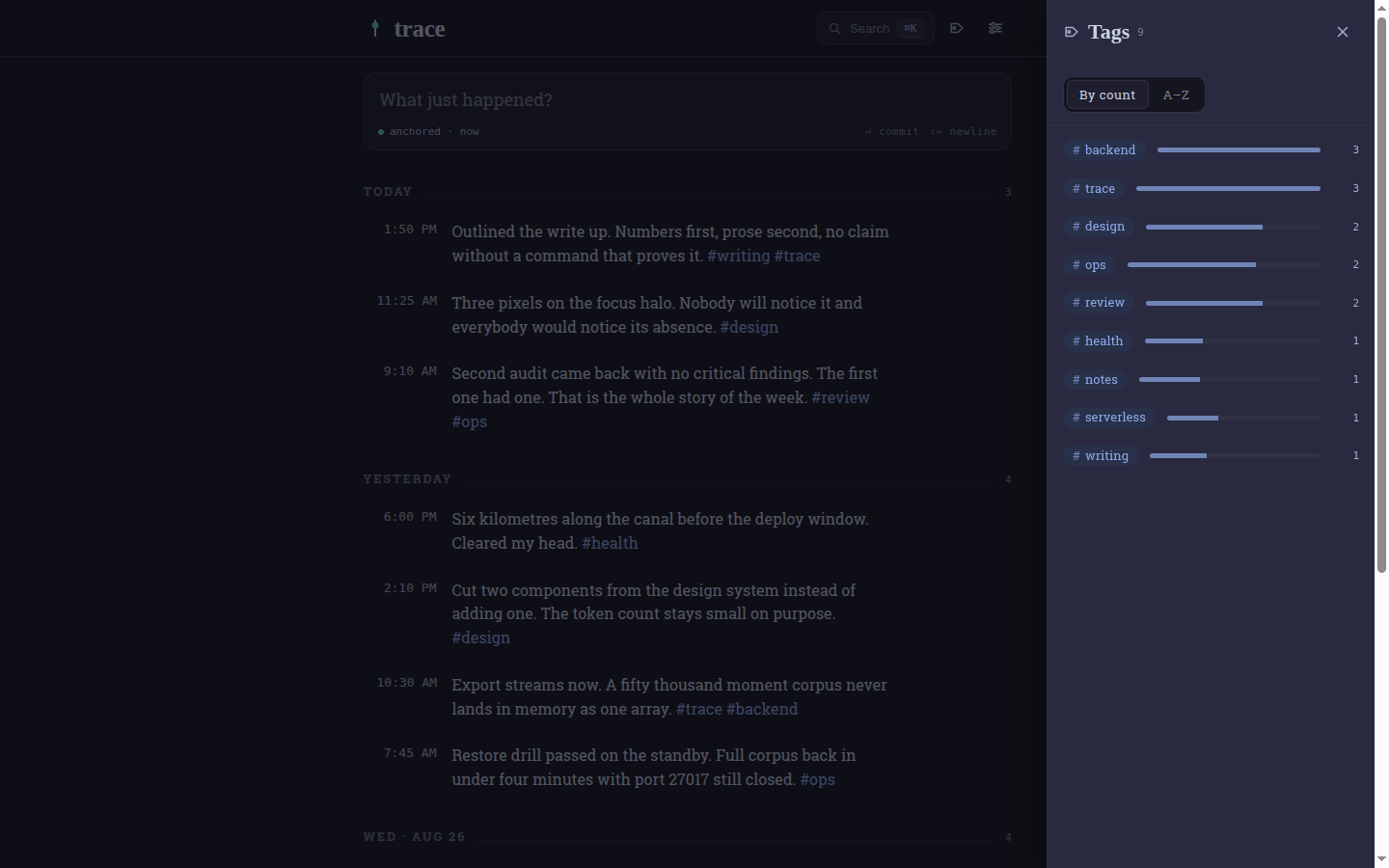
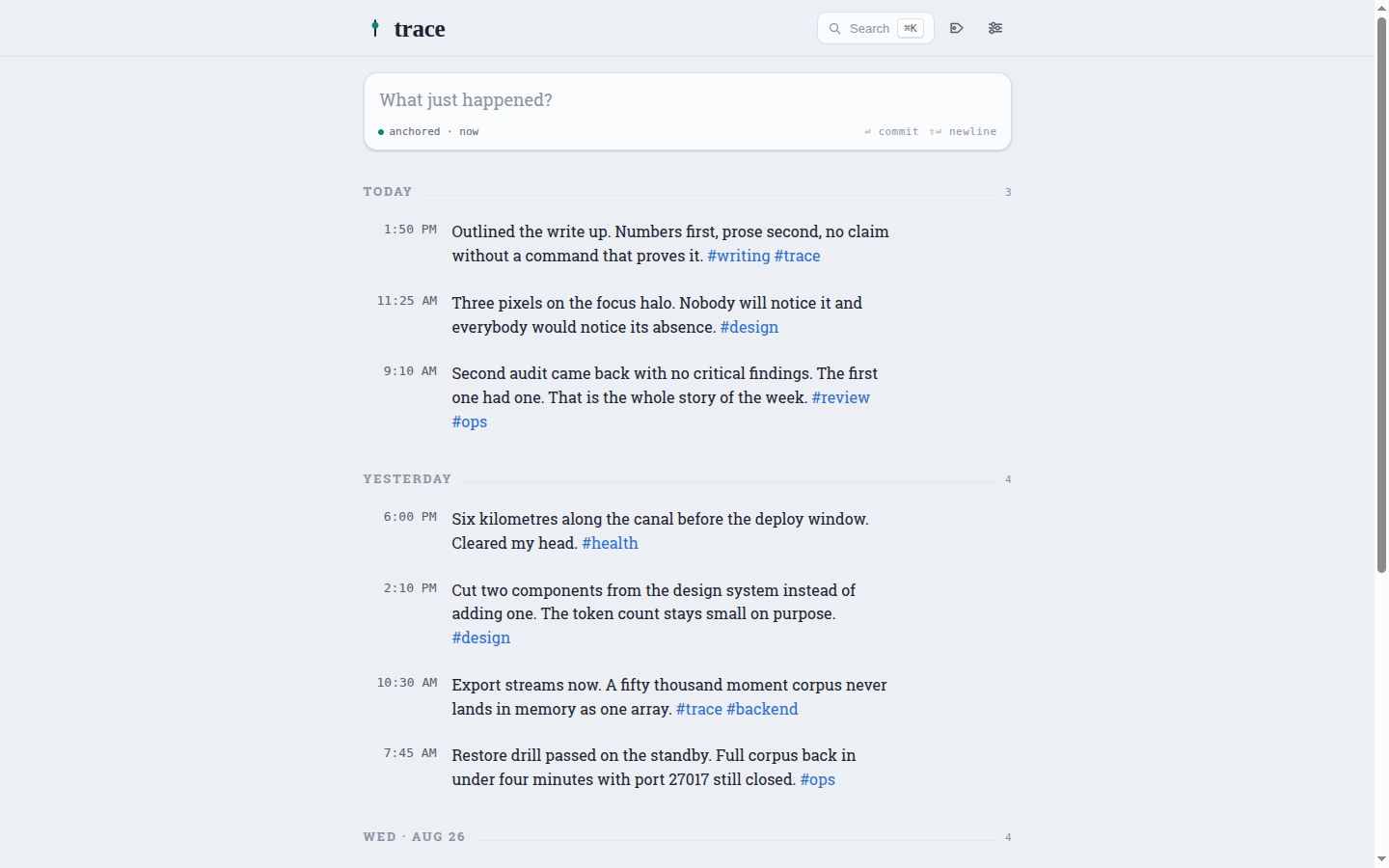
These figures come from the live site on 28 August 2026, using a showcase account seeded with eleven synthetic moments across three days. No real record is shown.
The loop
LOOP 01 · CAPTURE
Commit before the server answers
The capture field takes focus on load. Enter commits and Shift+Enter adds a newline. The moment appears in the timeline before the server has replied, sorted into exactly the slot the server would have given it. If the write fails the row is withdrawn and your text is put back in the field rather than lost.
LOOP 02 · FILE
Tags counted over the whole record
Any word starting with a hash becomes a tag. The index is built on the server across the entire corpus, counts a tag once per moment even when you wrote it twice in the same line and matches non-Latin tags because the pattern is Unicode-aware.
LOOP 03 · FIND
Search that survives backdating
The palette searches every moment rather than the page in view. Free text is stripped of the characters that would change the meaning of Mongo's text operator and capped at 200 characters, tag filters are escaped before they become a regular expression and a lookahead keeps #work from matching #workout. Paging walks a compound key of time and id, so moments you backdate do not shuffle between pages the way offset paging shuffles them.
LOOP 04 · KEEP
Delete hides, it does not erase
Deleting sets a flag. The row disappears, a toast offers the undo and the record itself stays. createdAt is written once and never changed afterwards, so the time you actually wrote something survives every later correction to when it happened.
LOOP 05 · LEAVE
The record leaves as plain text
Export streams straight to the response in batches of a hundred, so a corpus of fifty thousand moments never has to exist in memory as a single array. Markdown comes out grouped under a heading per day, which is the file you would keep if the application disappeared.
# Trace export

_11 moments · exported 2026-08-28_

## 2026-08-28

- **10:50** — Outlined the write up. Numbers first, prose second, no claim without a command that proves it. #writing #trace
- **08:25** — Three pixels on the focus halo. Nobody will notice it and everybody would notice its absence. #design

## 2026-08-27

- **07:30** — Export streams now. A fifty thousand moment corpus never lands in memory as one array. #trace #backend
- **04:45** — Restore drill passed on the standby. Full corpus back in under four minutes with port 27017 still closed. #ops
Engineering that survived serverless
Vercel runs the Express application as a function, which quietly breaks two things a long-lived server gets away with. Rate limiting was the first: an in-memory counter resets on every cold start, so it was replaced by a store that keeps hit buckets in Mongo, settles the read-then-write race by re-checking that the window has not rolled over and lets a TTL index collect the stale buckets. Connection churn was the second, so the handler caches a single boot promise and drops the pool to one connection when it detects Vercel.
Sessions are a JWT in an httpOnly, SameSite=Strict cookie rather than anything kept in localStorage, and every token carries the account's session epoch. Each authenticated request reads that one indexed field and rejects a token whose epoch has moved, which revokes outstanding sessions on password reset or account deletion without maintaining a denylist. Asking for a moment that is not yours returns 404 rather than 403, so the API never confirms that another person's record exists.
React is copied out of node_modules into the application's own assets at install time rather than pulled from a CDN, which is what lets the deployed policy stay at script-src 'self'. Configuration is a single schema that refuses to boot on bad input, with two rules that apply only in production: the mailer may not be the logging stub, because password reset would then fail silently, and the application origin may not be localhost, because reset links would point at the developer's own machine.
Tested where it matters
Forty-eight backend cases cover authentication, entries, export, search and isolation as well as rate limits. The isolation suite is the one that earns its place, because it turns the product's central promise into something a machine checks on every push: a second account cannot read the first account's timeline, its edit, delete and restore attempts all come back 404 with the assertion spelling out not 403, and its export, search and tag index all come back empty while the first account's record is left untouched. Each case names the requirement it proves.
One in-memory MongoDB boots once per run and every worker connects to that same instance, so the suite stays fast without letting files share state. CI runs three jobs on every push: the backend, the frontend and a third that performs the real Vercel build, so a deploy failure surfaces before Vercel ever sees the commit.
backend tests, CI green
API endpoints over 4 collections
runtime dependencies, whole product
worst-case data loss to S3
A design system with two dependencies
The client ships React and nothing else: no CSS framework, no component library, no state library and no router as well as no HTTP client. What would have been those dependencies is instead 22 components and 98 tokens, each token carrying a comment that names its single job.
The type system states its intent plainly, which is to recede the structure and surface the moment. Day headers step back through letter-spacing rather than colour so the words you wrote stay the loudest thing on the page, and the teal accent is rationed to whatever matters right now. The light theme is designed rather than inverted, carrying its own hues instead of flipped ones. Focus is a three-pixel halo on every interactive element, touch targets hold at 44 pixels and the landing page's typewriter sequence is not merely switched off under reduced motion but replaced by a static final frame.
Operations, not just deploys
Every six hours a workflow assumes an AWS role through GitHub OIDC, pulls the connection string from SSM and writes a mongodump to S3, so no long-lived AWS key exists anywhere in the repository. Thirty minutes after each dump a second workflow restores that archive onto a standby instance over SSM with the database port still closed, because a backup nobody restores is a hope rather than a plan. The health endpoint answers 503 rather than 200 when Mongo is unreachable, so a platform can route traffic away instead of into a broken instance.
The security work is in the repository as a before and after. A full audit returned eleven findings including one critical: tokens belonging to deleted accounts still authorised requests. The next two commits closed it and a re-audit came back with no critical findings. That fix is checkable from outside the code, which is the part that matters: delete an account and the token issued a second earlier stops working.
Honest limits
The forty-eight tests are all backend. The frontend has two Playwright specs and no unit or component tests, so nothing claimed here about testing extends to the client. One screen file carries the palette, tag panel and settings as well as the timeline, at over eleven hundred lines, and should be broken apart.
The repository is private, so there is no browse-the-source link to offer. The README still says in development and the task checklists for specs 002 to 004 still show zero boxes ticked although search, export and settings as well as the danger zone are all in production, so this page cites code, CI and live checks rather than checklist completion. V1 has no analysis dashboards, no rich media and no SSO or MFA as well as no teams.
trace 0.1.0 · commit 0edf7dd · capture first, insights later.
Next project